Dynamic Expressions
Note: As of 2025-10-22, dynamic expressions have been completely removed from the engine.
Dynamic expressions are a Source 2 feature that allows you to add inline expressions to material parameters. This is useful for a variety of things, such as animating parameters over time, or passing in values from code.
Note: This cannot be done with cloud or compiled materials with no access to the source .vmat file.
Add a dynamic expression to a material parameter by clicking the little arrow next to the parameter name in the material editor, and selecting “Add Dynamic Expression…”.

For a simple flicker effect, you can use the time expression.
3 + (sin(time * 60) * 0.7)

To pass in values from code, you can type in any variable name you want as long as it’s not a reserved word. Then, in code, you can set the value of that variable on the model renderer instance.
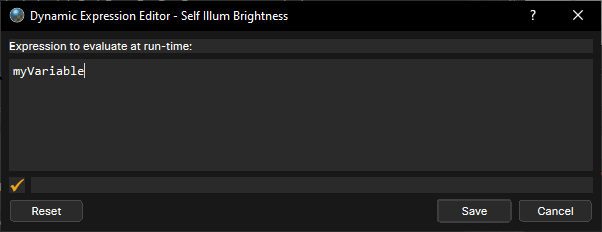
modelRenderer.Attributes.Set("myVariable", Time.Now);
You can now do anything you want with that variable in C#, such as animating it over time or setting it based on game logic.
Note: Make sure to check out the batchable post if you’re using dynamic expressions on multiple instances of the same model, as you’ll need to disable batching to have unique values per instance: Batchable Post.