Resource Files
When you publish a game in s&box, compiled resources will automatically be included in the build. However, things like image files (PNG, JPG, etc.), sound files (WAV, MP3, etc.), and other non-compiled assets need to be explicitly added to “Resource Files” in your project settings to be included in the final build.
Go to ⚙️ > Other and you’ll find a section called Resource Files. Here, you can add any files or folders that you want to be packaged with your game.
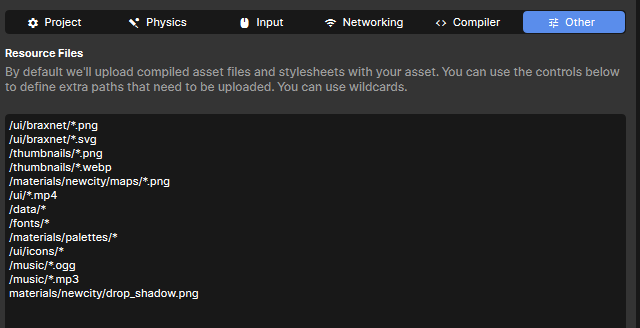
By “wildcards”, it means you can use patterns like *.png to include all PNG files, or images/* to include all files in the “images” folder. This is useful for including multiple assets without having to add each one individually.
images/*.png will include all PNG files in the “images” folder.
Do NOT include “assets” at the start of the path, as the engine automatically looks for resources in the “assets” directory of your project.
Do NOT include “materials/*” or “models/*“ and the like, as the engine automatically uploads all compiled resource (extension ending in _c). If you use a wildcard to also upload the source files (without _c), it may cause issues on clients, as they will try to load the source files instead of the compiled versions. If you only need to include specific uncompiled resources, you can add them individually like materials/my_image.png.
After saving your settings, publish your game again, and the specified resource files should now be included in the build.