Connecting to a Dedicated Server
To connect to a dedicated server, you enter the status command in the dedicated server console after the lobby has been created. This will display the server’s connection information, including the lobby ID.
By default, s&box servers use Steam’s proxy relay system, which means that the connection will be routed through Steam’s servers - hiding your dedicated server’s IP address.
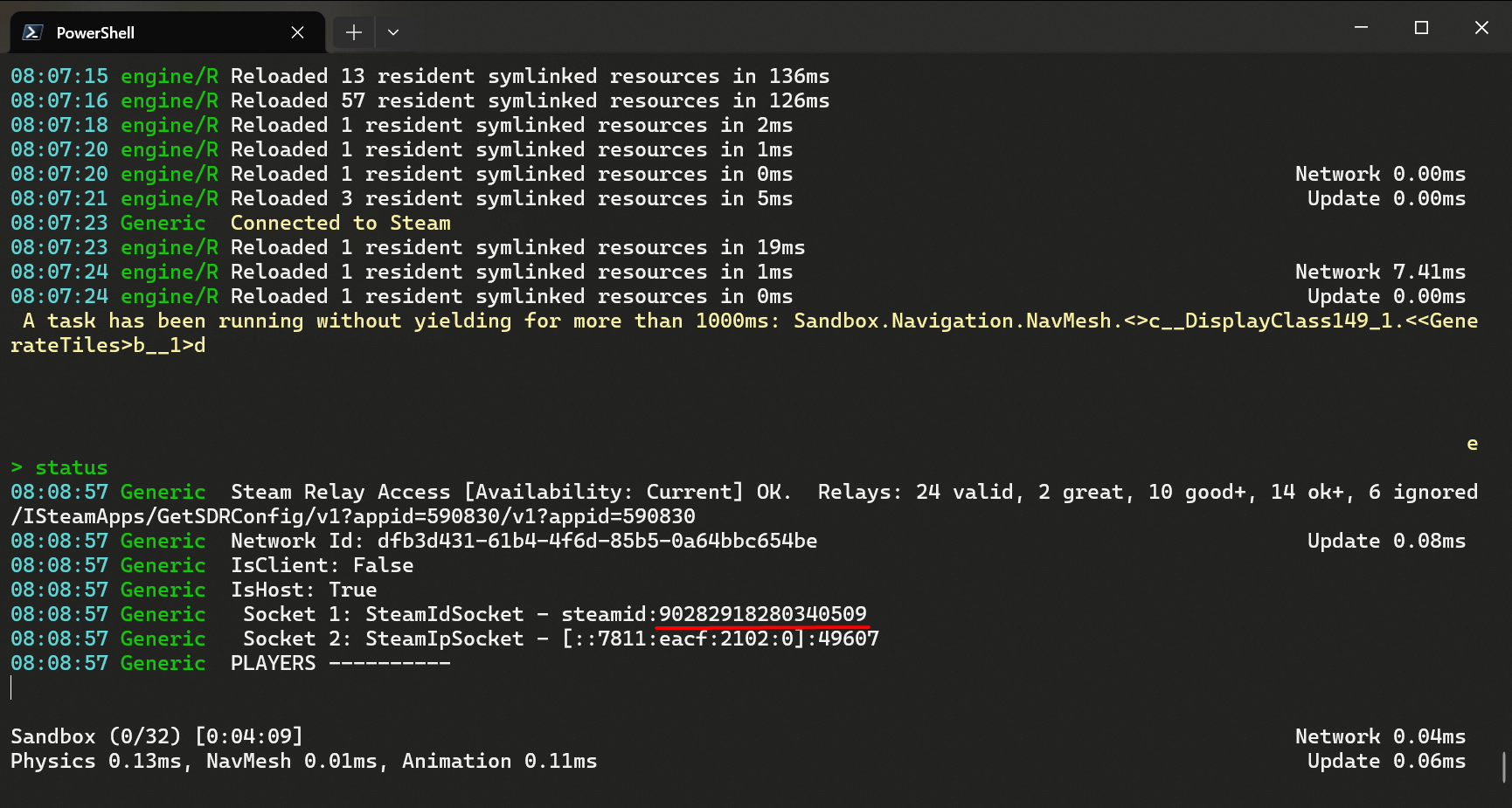
To connect to the server, you can use the connect command in the game client console, followed by the lobby ID. For example:
connect 1234567890
Remember to not include the steamid: prefix.
If the console returns “Not Connected”, it means you haven’t created a lobby in your game code yet. Read the networking documentation to learn how to do this.